Share PatientData withConfidence.
Connect your care network to send referrals, share medical imaging, exchange patient records, & coordinate every handoff through one secure workflow.
The cross-organization problem
Healthcare wasn't built for handoffs between organizations
Every time a patient moves between a referring provider, imaging center, or specialist, care teams traditionally rely on fax, phone calls, CDs, and single-purpose portals. They re-enter the same information over and over and hope nothing gets lost.
Medical images don't travel easily
DICOM studies are large and hard to share. They often arrive on CDs, through VPNs, or clunky portals. Recipients may lack the software to view them, so priors go unused and care slows down.
Referrals get lost in transit
Fax and email were never built for clinical workflows. Referrals arrive unstructured, transmissions fail quietly, and staff have no shared worklist to triage what came in or still needs action.
Scheduling devolves into phone tag
Even after a referral is sent, offices still coordinate by phone. They check availability, confirm the patient booked, and chase results. It is slow, labor intensive, and patients slip through when follow up never closes the loop.
Coverage is verified too late
Eligibility and authorization are often checked in a separate system, or not until check in. By then, denied coverage wastes appointments, delays care, and creates extra work for both organizations.
One network for cross-organization care
Build your care network once.Use it for everything.
Approve partner organizations, then exchange referrals, imaging, records, and messages through the same trusted channel.
Share imaging in the browser
Send DICOM studies to approved partners in a few clicks. Recipients open studies in Avara's integrated FDA-cleared diagnostic viewer with no CDs, VPNs, or separate software to install.
Structured referrals that stay on track
Send and receive referrals with patient context, supporting documents, and priority levels. Incoming referrals land in a shared worklist so your team can triage, assign, and act on every request.
From referral to booked appointment
Let approved partners book directly on your calendar when you choose. Appointments, reports, and imaging can flow back to the referring provider automatically, without phone tag.
Verify coverage before care starts
Run eligibility checks directly in the referral workflow so your team knows whether a patient is covered before an appointment is booked, not after they arrive.
How Avara Connect works
Search for organizations already on Avara Connect or invite new partners with one click. Once accepted, every workflow below and more is available through one trusted channel.
First step
Example 1
Specialist imaging exchange
Example 2
Referrals & scheduling
Example 3
Prior studies for comparison
Turn referrals into booked patients
Replace fax and phone tag with a shared worklist both organizations can trust.
- Inbound referrals land in one worklist with priority and status so your team can triage without duplicate work
- Referring providers stay in sync as appointments move from pending to booked, and results arrive automatically
- Let approved partners book directly on your calendar, with optional payment and eligibility checks upfront
- Every referral is auditable from arrival through booking, so nothing slips through the cracks
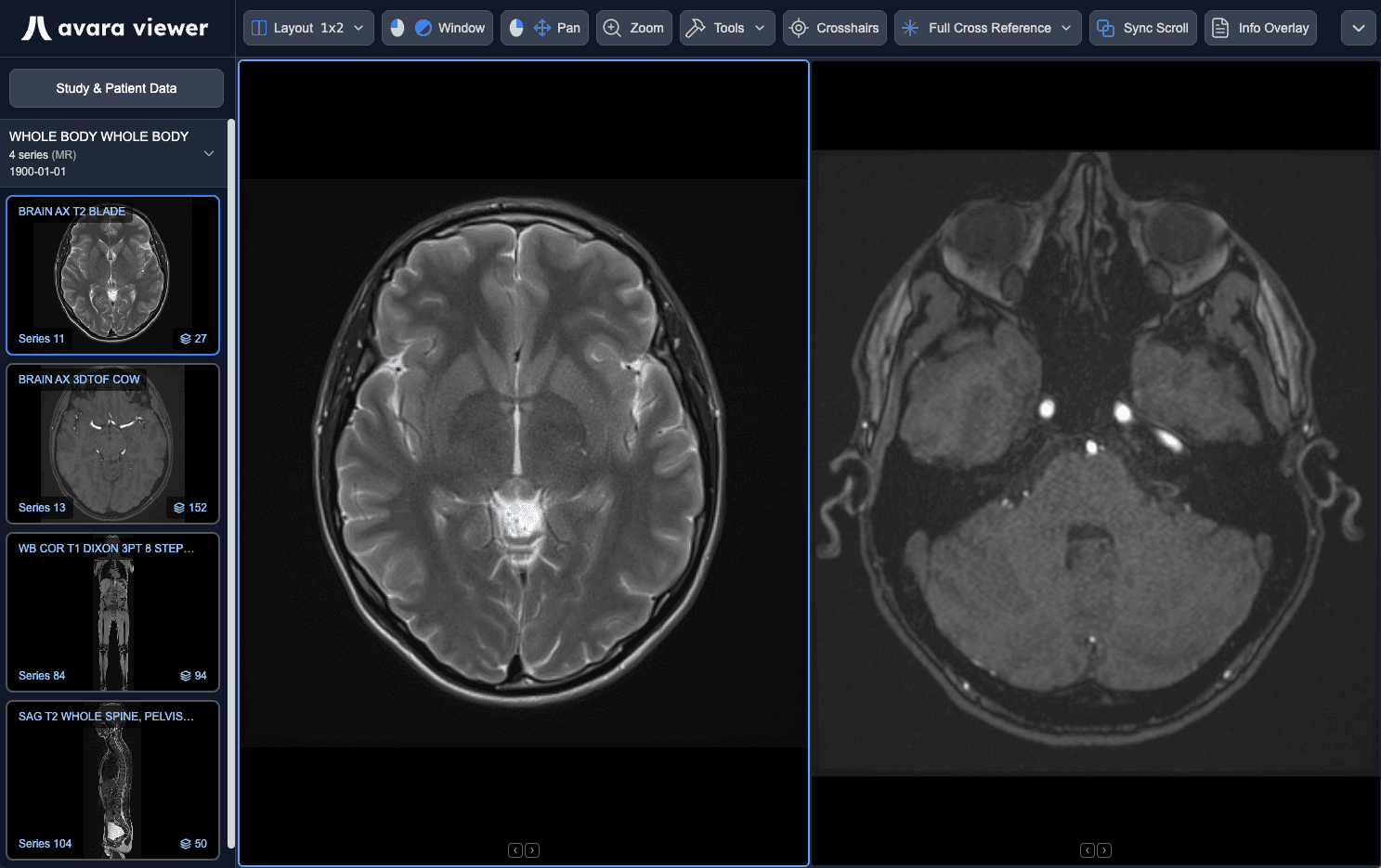
Share diagnostic studies with ease
Send DICOM imaging to approved partners without CDs, VPNs, or separate viewer software.
- Received studies land in one centralized list with patient, study, and sending facility context so your team knows what arrived and from whom
- Open any shared study in Avara Viewer directly from Connect with no installs, no media handoffs, and access from any device with a browser
- Avara Viewer is FDA-cleared for diagnostic reading and included for free with Connect
- Share radiology reports, clinical notes, and other patient documents alongside each study so partners have the full picture, not just the images
One hub for every conversation
Dedicated secure channels with each Connect contact organization, plus direct messages and internal channels for your team. Replace phone tag and scattered email with an auditable record of every handoff so both sides stay aligned on referrals, imaging, and patient care.
Messages
scheduling
Internal channel
Message...
Choose how records are shared
Before each share, your care team chooses between continuity of care or patient consent. Connect applies the right access controls automatically, and you can revoke access anytime.
Patient consent
When explicit patient consent is required, we send a consent form to the patient and don’t grant access to the receiving provider until the patient signs. No extra work is required on your end.
Authorization to Share Health Information
Version Date: June 20, 2026
HIPAA Authorization Request
Midwest Imaging is requesting your authorization to release and share the health information described below with Valley Medical through Avara Connect.
Information Being Shared
- Appointment or study details and status
- Medical images (DICOM)
Continuity of care
Under the right circumstances, explicit patient consent is not needed. Expedite operational workflows by instantaneously sharing with your partner providers.
Who Connect is for
Imaging Centers
Send studies and reports to referring providers without CDs or fax. Receive inbound studies from hospital and outpatient partners in one list, and allow your radiologists to view prior studies directly in the FDA-cleared Avara Viewer while they dictate their reports.
Primary Care
Refer patients to imaging centers and specialists with documents and structured context that stays with the referral. Get reports and medical imaging back through the same channel—no unsecured email or phone tag.
Specialist Practices
Exchange medical imaging and documents with PCPs and peer specialists on shared patients. Pull prior imaging for comparison before procedures, and keep referrers updated as cases move from pending to resulted.
Hospitals
Share medical imaging and discharge summaries with community PCPs and post-acute partners under continuity of care. Accept inbound referrals from affiliated clinics with auditable cross-organization handoffs.
Use Connect on its own, or run it inside the Clinical Platform.
Connect functions as a standalone product for sharing referrals, imaging, and records with partner organizations. It is also included with the Clinical Platform for free, accelerating your operations further with direct referral booking, appointment sharing, and patient messaging all in one system.
Send outbound referrals with documents
Receive & triage inbound referrals
Referral priority & expiry
Referral notification lists & assignees
Book inbound referrals on your calendar
Partner direct booking on your calendar
Auto-share booked referral appointments with referrer
Share medical imaging (DICOM) studies
Share documents & reports
Receive shared appointments from partners
Share appointments with Connect contacts
FDA-cleared Avara Viewer for shared studies
Continuity of care sharing
Patient consent workflow
Onward sharing to other providers
Revoke access anytime
Secure Connect contact messaging channels
Internal channels & direct messages
Patient messaging
| Feature | Connect on its own | Connect in Clinical Platform |
|---|---|---|
| Send outbound referrals with documents | Included | Included |
| Receive & triage inbound referrals | Included | Included |
| Referral priority & expiry | Included | Included |
| Referral notification lists & assignees | Included | Included |
| Book inbound referrals on your calendar | Not included | Included |
| Partner direct booking on your calendar | Not included | Included |
| Auto-share booked referral appointments with referrer | Not included | Included |
| Share medical imaging (DICOM) studies | Included | Included |
| Share documents & reports | Included | Included |
| Receive shared appointments from partners | Included | Included |
| Share appointments with Connect contacts | Not included | Included |
| FDA-cleared Avara Viewer for shared studies | Included | Included |
| Continuity of care sharing | Included | Included |
| Patient consent workflow | Included | Included |
| Onward sharing to other providers | Included | Included |
| Revoke access anytime | Included | Included |
| Secure Connect contact messaging channels | Included | Included |
| Internal channels & direct messages | Included | Included |
| Patient messaging | Not included | Included |
Build your care network
Trusted by organizations across the country to coordinate referrals, imaging, and records across organizational boundaries.
Frequently Asked Questions
Avara Connect is a secure network for healthcare organizations to exchange referrals, medical imaging, documents, and messages with approved partner organizations. It includes an integrated FDA-cleared diagnostic viewer, structured referral workflows, and configurable sharing controls for continuity of care and patient consent.
Yes. Connect works as a standalone product. You can send and receive referrals, share medical imaging and documents, and message partner organizations without adopting the full Avara Clinical Platform. Clinical Platform customers get additional capabilities like booking inbound referrals on your calendar, appointment sharing, and patient messaging – and study sharing is free with Clinical Platform.
You share with approved Connect contacts – other healthcare organizations you invite or accept onto your network. Each contact relationship is explicit and auditable, so you always know which partners have access to shared information.
They are two ways to authorize a release, and you choose before each share:
- Continuity of care: when federal law permits disclosure for treatment without a separate patient authorization, you can share with a partner provider immediately
- Patient consent: Connect sends the patient an email with a one-time link to approve or reject the release, including federally extra-protected categories where applicable
This is general guidance, not legal advice – consult your counsel when in doubt, and request patient consent when unsure.
Most of Connect is free. You only pay to send DICOM studies (Connect-only):
- Sending studies: $4.50 per study after your 50 free study sends
- Receiving studies, referrals, documents, and messaging: free
- Avara Viewer: included free
- Clinical Platform customers: unlimited study sharing at no additional cost
There are no setup fees, per-user fees, or per-contact fees.